WSL Integration, for windows users
Say you got multiple WSL machines running in your windows host machine, and would like to build the docker image. Docker should either be installed in the WSL machine or could share it from the existing container.
The problem
Here you see, I got multiple WSL machine configured in my host windows machine,
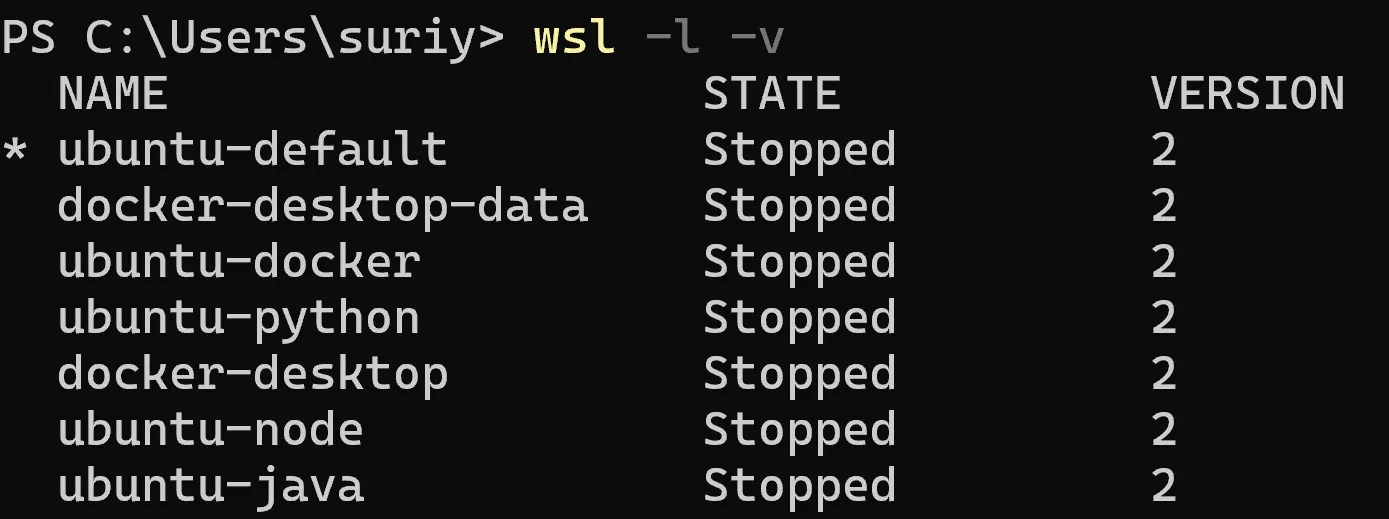
My docker container is ubuntu-docker, that’s where I have the docker installed to run.
Once I start the docker desktop,

you can see that,
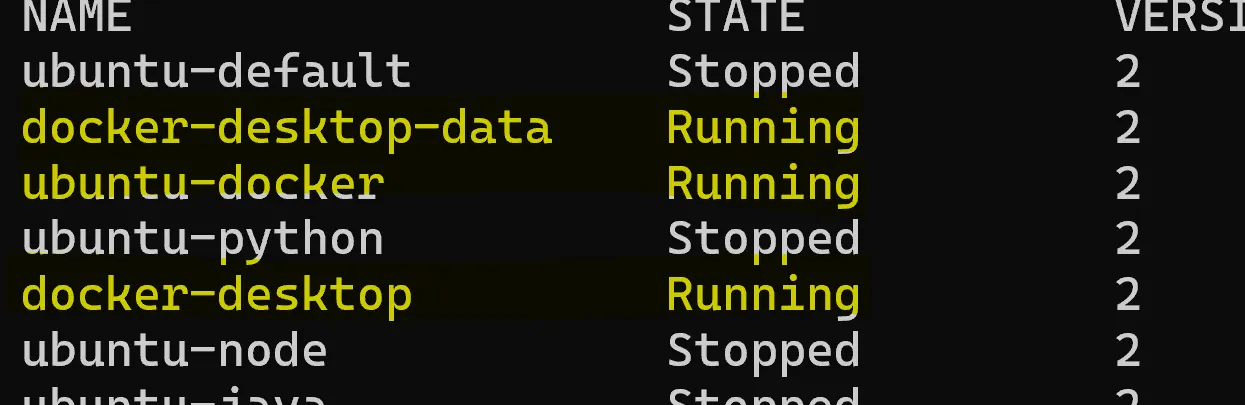
If you don’t have multiple WSL and just docker desktop then you will see docker-default instead of ubuntu-docker.
Get Suriya’s stories in your inbox
Join Medium for free to get updates from this writer.
Being said that, if I wanted to run the docker on ubuntu-java WSL to build the image to run on the docker-default container, you could see that ubuntu-java does not have the docker installed,
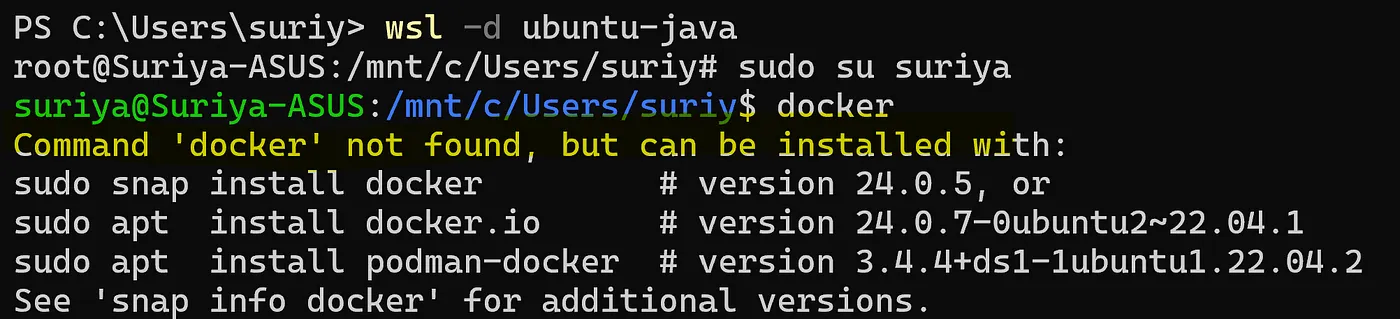
Now to build the docker image, or to run docker, either
- I would need to install a nested docker inside the WSL
- Run the Dockerfile from the windows host machine accessing the wsl machine’s path
- Enable WSL integration
The simplest solution
Enable WSL integration is the simplest,
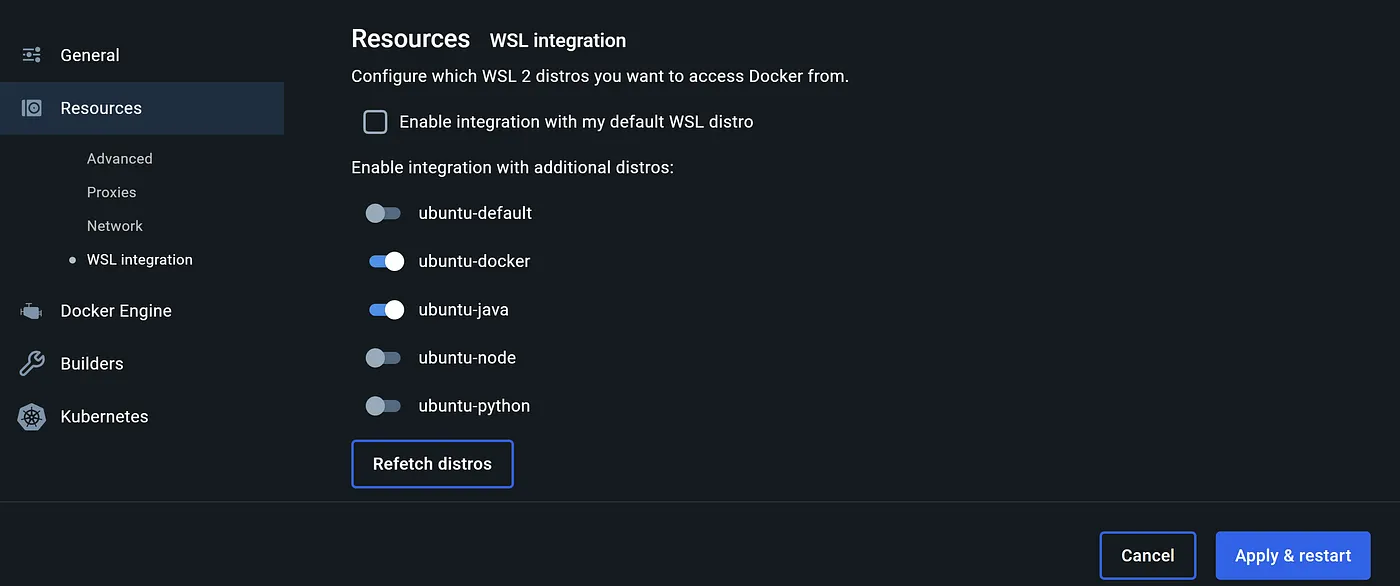
This will mount the docker sock which you can verify in the non-docker machine by going to /var/run where you will find docker.sock, docker-desktop-proxy.pid, docker-cli.sock files.
Alternatively you can mount them here if you are not using docker desktop(the old way).

After this you would see that you can run the docker cmd,
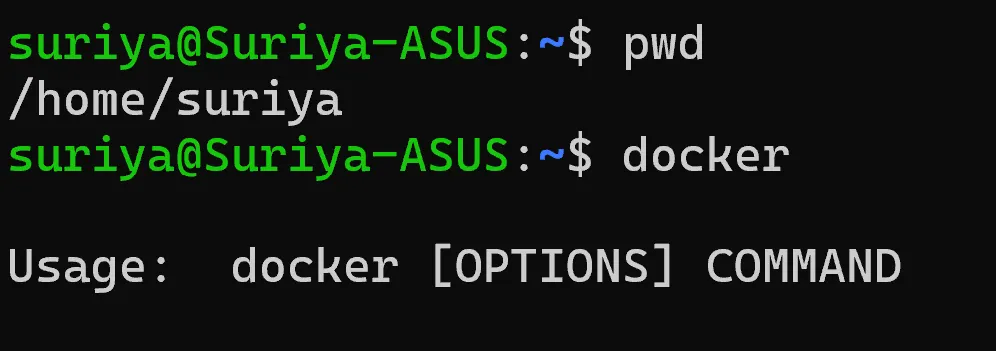
however when you try running the build,

Check for the Linux file permission or just use sudo and you should be all set.

Happy localhost-ing!